
How to Redeem PETS Pony Land Codes
Practical redemption steps for the Roblox BETA — ready for the first official promo drop.
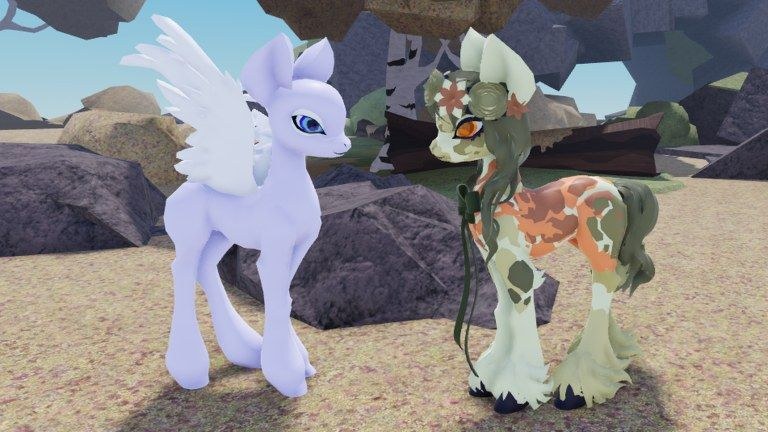
This guide explains how to redeem codes in PETS! Pony Land [BETA] on Roblox once the developers publish working promos. The experience is an early-access pony customization and roleplay world from Faded Horizons (owner Onixu / 0nixuu). Because the title is still in BETA since 2026-07-27, the Codes UI may arrive, move, or rename across patches. Use these steps as a durable checklist, then confirm live details on the Codes Hub.
Before you redeem anything
Complete this prep so a valid code does not fail for account or place reasons:
- Open the official place from trusted links on the Links Hub or your Roblox continue list — title PETS! Pony Land [BETA], not a lookalike pony lobby.
- Confirm you are playing the Faded Horizons experience (universe 10577992319) rather than a copycat place with a similar thumbnail.
- Finish the early tutorial prompts so menus unlock. New BETA builds sometimes hide gift buttons until onboarding ends.
- Join the Faded Horizons group if the experience or shout says group membership is required for rewards.
- Free inventory or mailbox space if the game grants wearable accessories or craft materials.
- Read the current status on the Codes Hub. If the hub still says no confirmed codes, do not trust random “daily code” blogs.
New players should also skim Getting Started so species choice (Earth pony, Pegasus, Unicorn), the three-skin save slots per species, and basic exploration are already comfortable before chasing gifts.
Likely redemption UI (when codes exist)
Roblox dress-up and avatar sims usually place codes behind one of these patterns. Check each after a patch listed on Updates:
Pattern A — Shop or Rewards button
- Launch the game and wait for the main HUD.
- Open Shop, Rewards, Gifts, Mail, or a gift-box icon.
- Find a Codes tab or text field labeled Enter Code / Redeem.
- Paste the code exactly, submit, and wait for a success toast.
Pattern B — Settings or hamburger menu
- Open the menu gear or sidebar.
- Look for Codes, Promos, or Twitter/Discord rewards.
- Enter the string and confirm.
Pattern C — Event board
During limited events, a world board or NPC may accept codes tied to flowers, crafting weeks, or community milestones. Interact with the prompt, enter the code, and claim the attached resource pack or cosmetic token.
Because PETS Pony Land emphasizes customization, exploration, gathering, crafting, emotes, and flowers with gameplay purpose, expect rewards to land in cosmetic, resource, or event tabs rather than a combat inventory.
Exact typing rules that cause most failures
- Case sensitivity — redeem
PonyLandandponylandas written. Do not “fix” casing. - No extra spaces — trim leading or trailing spaces after paste from Discord.
- No quotes — do not include surrounding
" "from chat messages. - Full string — some codes mix letters and numbers; missing the last character always fails.
- One account, one claim — alts may be blocked; do not assume multi-claim.
- Expired windows — weekend event codes die quickly; check the Codes Hub for inactive entries.
If the UI returns Invalid, Expired, or Already Redeemed, stop spamming. Wait a few seconds, re-check the official shout, and confirm you did not mix in a code from Pet Store Tycoon or another pet title.
Step-by-step redeem flow (checklist form)
- Copy the code from an official Faded Horizons shout, Discord staff post, or this wiki’s verified list.
- Join PETS Pony Land on Roblox (online co-op, up to 20 players per server).
- Open the Codes / Rewards field using the patterns above.
- Paste once, submit once, and read the response message.
- Open inventory, wardrobe, or mail to confirm the grant.
- If the gift is a wearable, equip it on your active pony skin and save the look if you want it kept among your three slots per species.
- If nothing appears, relog once, then verify the code is still marked active on the Codes Hub.
Safety tips — protect the account behind the pony
Promo codes never require your Roblox password, email code, or backup codes. Anyone asking for those is running a scam.
- Redeem only inside the official experience or through Roblox’s own UI — never on third-party “code claim” websites.
- Do not download “code redeemers,” executors, or
.exetools bundled with fake lists. Account security for script risk is covered on the Scripts Hub. - Ignore Discord DMs that paste codes plus a login link.
- Prefer copying from the group shout or a staff announcement channel, then double-checking spelling here.
- Keep two-step verification enabled on Roblox so a phishing page cannot quietly steal the session.
What to do when a code fails
Work through failures in order:
- Wrong game — confirm the place name and creator group.
- Typo — re-copy from the source message; avoid OCR screenshots when possible.
- Expired — move it mentally to the inactive list; check Updates for replacement event codes.
- Already redeemed — you are done; rewards will not grant twice.
- Group gate — join Faded Horizons, restart the experience, try again.
- BETA bug — note the patch day, try a fresh server, and report through official channels if staff request bug info.
Still stuck after those checks? Leave the fake aggregator sites. Return to Getting Started and play the real loop — gather, craft, customize — while waiting for a verified drop.
How this wiki will document new codes
When a code is confirmed we will add it to the Codes Hub with:
- Exact string and case notes
- Reward summary when known
- First-seen context (shout, Discord, patch)
- Active vs expired labeling
This how-to page stays focused on process so you are not rereading redemption basics every time the list changes. Pair both pages with the Links Hub for official destinations.
Good habits after a successful redeem
- Screenshot the success toast if you need to ticket a missing item later.
- Save your pony appearance if the gift changed mane, tail, pattern, or accessories you want to keep.
- Avoid broadcasting brand-new limited codes in public server chat; let friends use the wiki or official channels instead of feeding snipes.
- Skim Updates the same week — sometimes a code drop ships beside a UI change that moves the redeem button.
Related reading
- Codes Hub — live status and verified list
- Getting Started — first-hour pony setup
- Updates Hub — patch notes that may add redemption
- Links Hub — official Roblox and community links
- Scripts Hub — why executors are a separate, risky topic
Redeem patiently, verify the source, and keep your Roblox account safer than the cosmetic you are trying to claim.
Frequently Asked Questions
Quick answers to the most common questions.
Where is the codes button in PETS Pony Land?
The BETA may place it under Shop, Rewards, Gifts, Mail, or Settings after a patch. Check those menus after updates, and confirm live guidance on the Codes Hub.
Do codes care about capital letters?
Usually yes. Paste the string exactly as published — do not change case, add spaces, or include quotation marks from chat.
A website asked me to log in to claim a pony code. Is that safe?
No. Official redemption happens in Roblox or the game UI. Login pages for “code claims” are phishing. Never share your password or 2FA codes.
The code says invalid but influencers still promote it. What now?
It is likely expired, mistyped, or meant for another Roblox pet or tycoon game. Trust the Codes Hub and Faded Horizons announcements over recycled lists.
Do I need a special pony species to redeem?
Promo codes normally grant to the account, not a single species. Earth pony, Pegasus, and Unicorn players should all use the same redeem field unless a future event says otherwise.