
Alicorns Pony Land Three Save Slots Per Species
Build a wardrobe for Earth, Pegasus, and Unicorn without overwriting the look you love.
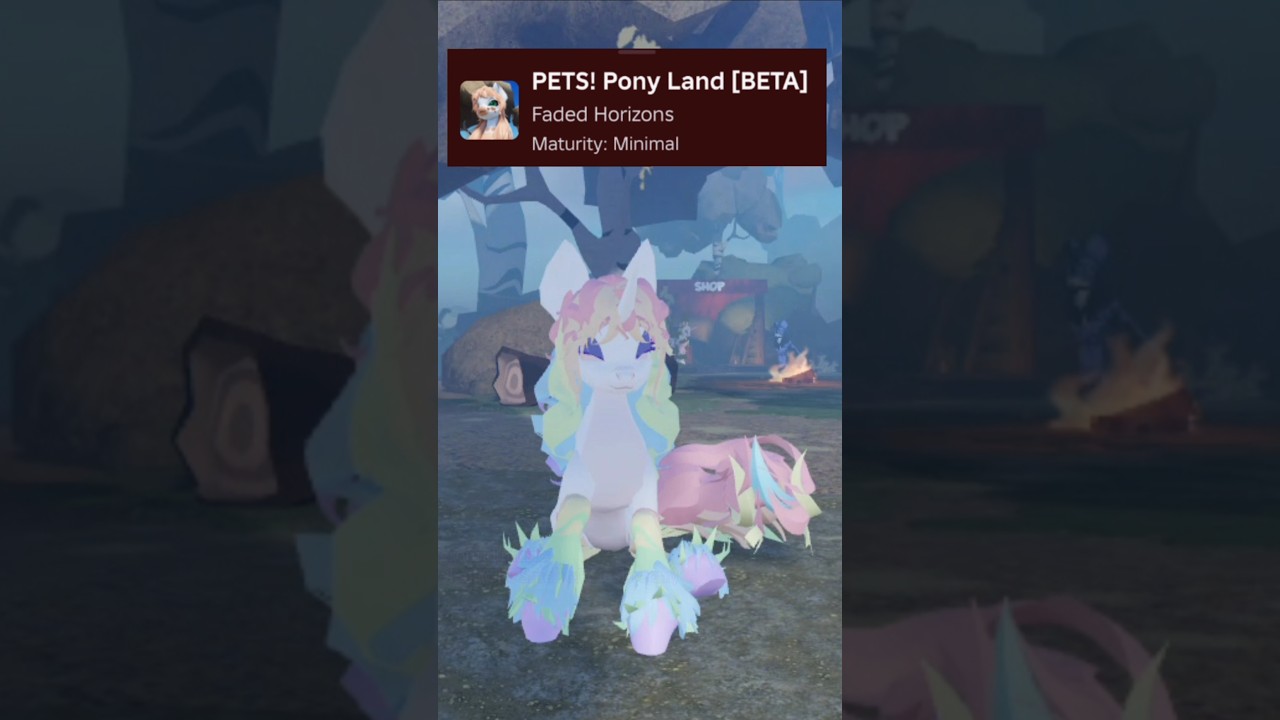
Alicorns! Pony Land [BETA] (formerly PETS! Pony Land) advertises a clear wardrobe rule on its Roblox page: save up to three different skins for every species. That is not three ponies total—it is three looks for Earth pony, three for Pegasus, and three for Unicorn. This guide turns that feature into a practical system so you stop panic-overwriting your favorite coat after a late-night palette experiment. Pair it with Customization for parts and patterns, Species for silhouette choice, and Getting Started for the first-hour loop. Index: Guides Hub.
Why save slots matter more in BETA
Early access builds republish often. The 2026-11-14 title refresh to Alicorns! Pony Land came with a fresh Roblox update stamp; menus and catalogs can shift even when your skins still load. Screenshots plus a named slot policy protect you when:
- A friend asks you to “try this neon mane real quick.”
- A craft unlocks a hat that forces a restyle.
- You bounce between roleplay scenes on servers capped near 20 players.
- You rejoin after a patch and need a known-good explorer look immediately.
Treat slots as insurance, not just storage.
The three-role template (per species)
Use the same roles on every species so muscle memory transfers:
| Slot | Role | Goal | Overwrite rule |
|---|---|---|---|
| 1 | Daily explorer | Readable colors, light accessories, reliable idle/wing/tail styles | Almost never—screenshot first |
| 2 | Social / formal | Hats, richer patterns, screenshot eyes, emote-friendly motion | After events or major craft unlocks |
| 3 | Lab | Wild palettes, experimental parts, clip tests | Free to burn |
Earth pony slot 1 can be a trail explorer while Unicorn slot 1 is a soft pastel mage—roles stay consistent even when fantasies differ.
Earth pony wardrobe ideas
Earth silhouettes sell coat patterns and accessories without wing clutter. Suggested set:
- Slot 1: high-contrast blanket or sock markings, simple mane, small hat or none.
- Slot 2: festival pattern, polished eyes, one hero accessory.
- Slot 3: monochrome fashion study or maximal pattern stack for learning contrast.
Because Earth lacks wings, slot 2 hats often sit cleaner—use that freedom, then still rotate the camera after every equip (Accessories and Crafting).
Pegasus wardrobe ideas
Wings change every composition. Suggested set:
- Slot 1: mid-volume mane, wing colors that match the coat, light trail gear.
- Slot 2: sunset or high-contrast wing accents for social screenshots.
- Slot 3: extreme wing styles and fluffy manes to hunt clipping early.
Walk-test wing idles before you call slot 2 finished. Emote timing tips live in Controls and Emotes.
Unicorn wardrobe ideas
Horns pull attention to the face. Suggested set:
- Slot 1: clear eyes, mane that frames the horn, restrained body pattern.
- Slot 2: formal court look with careful hat clearance.
- Slot 3: neon horn-adjacent experiments and dramatic eye pairs.
Always rotate around the head after hats. Horn clipping ruins otherwise perfect social slots.
How to save without accidents
- Decide which species bank you are editing before you open color pickers.
- Load the target slot intentionally—do not assume the game parked you on lab.
- Make changes in small batches; walk-test after mane, pattern, and accessory passes.
- Save explicitly when the UI offers it; wait for confirmation if the BETA shows a toast.
- Screenshot front, three-quarter, and one emote pose.
- Only then switch to another slot or species.
If you are unsure whether you are on slot 1 or 3, stop and re-load slot 1 from a known screenshot reference before experimenting.
Cross-species planning without burnout
You do not need nine finished looks in week one. A healthy first month looks like:
- Finish one solid slot 1 on your main species.
- Open a lab slot for play.
- Build a second species slot 1 only when you actually play that morph for a full session.
- Promote lab ideas to social slots after they survive a public server.
Beginner Tips covers related mistakes such as crafting before gathering and ignoring flower pockets while you obsess over manes.
After patches and the Alicorns rename
When Roblox shows a new update stamp—such as the Alicorns rebrand window documented on Alicorns Rebrand Update—run this mini checklist:
- Load each slot you care about once.
- Confirm accessories still attached.
- Re-test one idle and one emote.
- If a mesh looks wrong, fall back to slot 1 and report via official channels—not random Discord pastes (Links Hub).
Do not wipe slot 1 because chat claimed “everyone got reset.” Verify in your own client.
Slot hygiene table
| Habit | Why it helps |
|---|---|
| Screenshot before overwrite | BETA UI can feel ambiguous |
| Keep slot 1 light on rare hats | Explorer comfort beats flex |
| Use slot 3 for clip hunting | Protects social looks |
| Name looks in your notes app | Memory fails after long sessions |
| Revisit Customization monthly | Catalog additions change best practices |
Related reading
- Customization — parts, patterns, animations
- Species — Earth, Pegasus, Unicorn choice
- Accessories and Crafting — earning hats that fill slot 2
- Controls and Emotes — presenting motion on social slots
- Alicorns Rebrand Update — Nov 14 listing refresh
- Guides Hub — full how-to index
Three slots per species is enough for a real wardrobe if you assign roles on purpose. Keep explorer sacred, social polished, lab chaotic—and let Alicorns! Pony Land stay fun instead of stressful.
Frequently Asked Questions
Quick answers to the most common questions.
How many save slots does Alicorns Pony Land give me?
Up to three skins for every species. Earth pony, Pegasus, and Unicorn each have their own three-slot bank according to the official Roblox feature list.
Should I put my best look on slot 1?
Put your most reliable explorer look on slot 1. Keep flashy screenshot outfits on slot 2 and experiments on slot 3 so you never strand yourself without a clean pony.
Do looks transfer between species?
Treat each species bank as separate. Build and save inside the morph you are wearing; do not assume an Earth coat automatically copies to Pegasus.
What should I do before overwriting a slot?
Screenshot front and three-quarter views, confirm which slot is active, then save. After major patches, reload the slot once before editing.
Where do I learn the actual customization tools?
Open the Customization guide for body parts, eyes, manes, tails, patterns, and animations, then return here for wardrobe strategy.